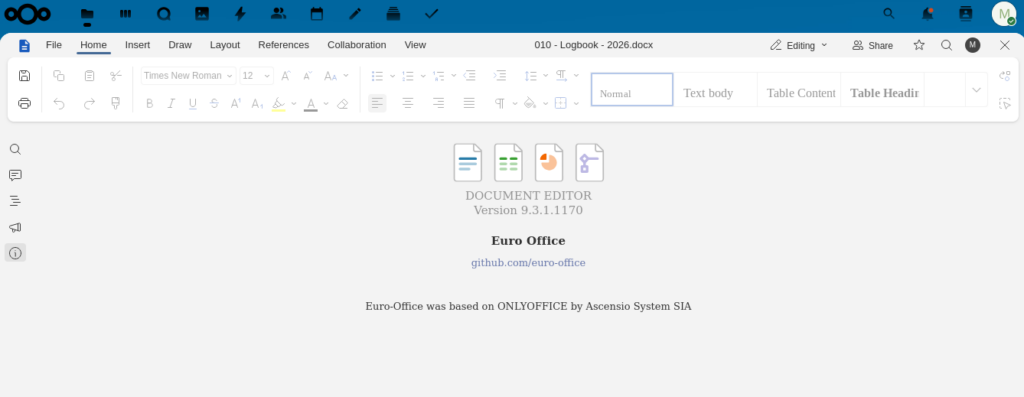
About two years ago, I changed from Collabora Online Office in my Nextcloud setup to OnlyOffice, as the advantages for my use case were overwhelming. It wasn’t an easy decision and I was always a bit uneasy about the move from a political and open source point of view. It looks like I’ve not been the only one, and a new industry initiative was founded a few months ago to fork OnlyOffice into Euro-Office for a fully open source and sovereign cloud productivity stack. Have a look here for the reasons behind the fork.
When I first heard the announcement I thought it would take quite a bit of time before Euro-Office would be production ready. Fortunately, it became available much sooner than I thought and there’s a ready to work with Docker image available to be integrated with Nextcloud. Perfect I thought and gave it a try with one of my Nextcloud instances that is based on Nextcloud AIO (All-in-One).
The Initial Idea: Connect and External Euro-Office Instance
As ‘All-in-One’ suggests, this version of Nextcloud includes everything from file sharing to video conferencing and an online office. Best of all, it can be installed on a Linux server or VM in 5 minutes with a single Docker instruction. And it really installs everything, including, so far, Collabora Online Office. When I initially set-up my instance, I deselected Collabora and manually connected my Nextcloud AIO to a docker-compose OnlyOffice instance that ran in a different VM. What I wanted to do now was to see how I could integrate an external Euro-Office instance with my Nextcloud AIO instance in the same way I originally connected an external OnlyOffice instance with my Nextcloud AIO instance.
But It’s Already in AIO!
To my great surprise, I noticed that a recent automatic Nextcloud AIO update has already installed Euro-Office as a Docker Container on my Nextcloud AIO instance. The only thing I thus needed to do was to disable the OnlyOffice plugin in Nextcloud. The Euro-Office plugin in Nextcloud was also already installed and usable, but did not override the OnlyOffice plugin by default so far.
And that was already it, after disabling the OnlyOffice plug-in in Nextcloud, my instance started to use the local Euro-Office container that was installed as part of the automatic update straight away. It couldn’t have been simpler.
AIO Choices
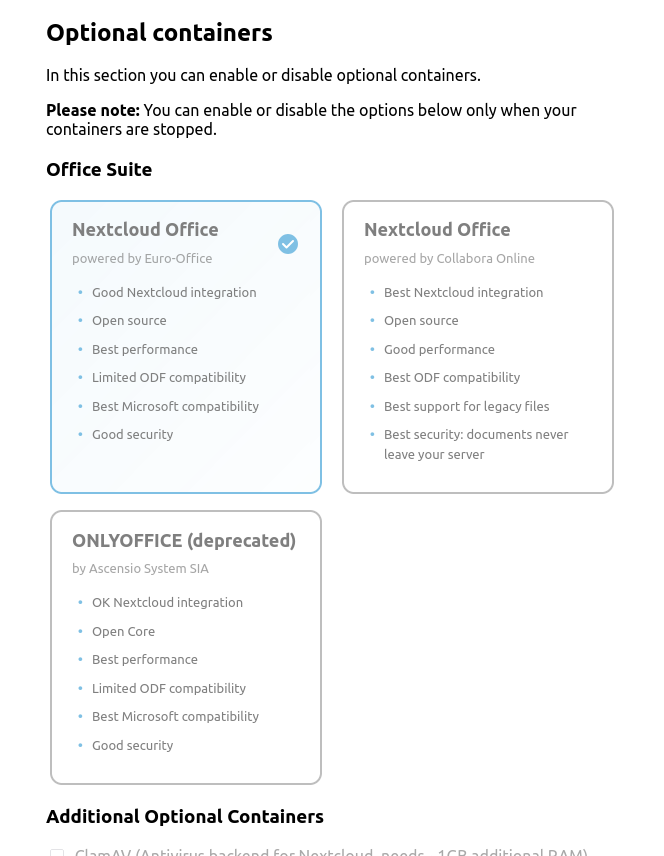
In case you want to do this on your instance and Euro-Office should not already be there, there’s an easy fix as well: Just go to the Nextcloud AIO GUI from the admin settings in Nextcloud, stop all containers and then update the Nextcloud AIO master container. Once done, the GUI shows options to install Collabora Online, OnlyOffice or Euro-Office as online office package into the Nextcloud AIO installation. No separate VM needed.
I’ve been using Euro-Office for text documents, spreadsheets and presentations for a couple of weeks now and it just works, no quirks detected.
How nice, I’m mightily impressed!