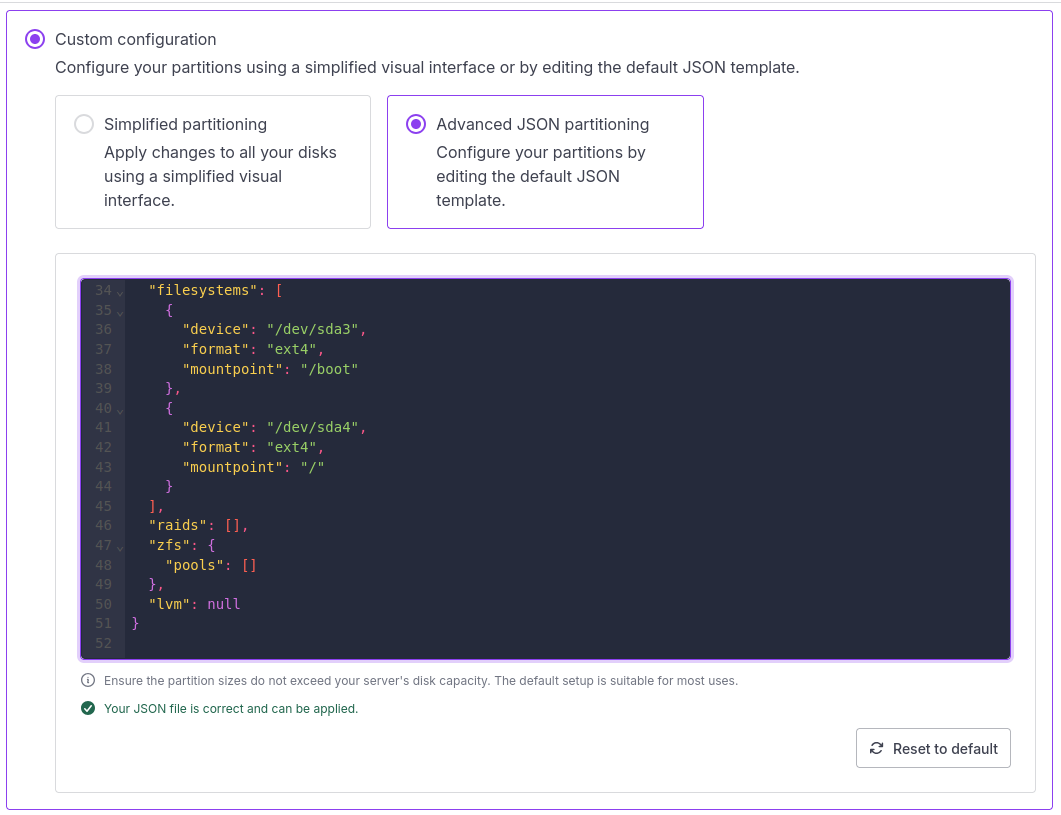
Back in 2024 I moved most of my services from a bare metal server in a data center of one provider to a bare metal server in a data center of another provider. In my case, the data center I migrated to was Scaleway and like pretty much everyone else, their bare metal servers are configured by default with two drives and a RAID for redundancy. As I required more storage then the RAID could provide, I removed the RAID configuration after I installed Ubuntu as the host operating system. You can find the somewhat complicated details here. But it turns out there is actually a much simpler way: A custom partitioning config file!
As shown in the screenshot above, Scaleway has an option to provide a custom partitioning json config file for a bare metal servers After a bit of tweaking, I got a valid json file that would create 4 partitions on ‘sda’, three of them for the system and the last and empty one as free space for the ZFS pool I want to use for my virtual machine images and data. In addition, a single empty partition is created on ‘sdb’ that I can also use for the ZFS pool. Much easier then to get rid of the RAID as I previously did.
As the example in the Scaleway documentation did not lead me to the configuration I wanted to have, here’s my config file in case you are looking for something similar:
{
  "disks": [
    {
      "device": "/dev/sda",
      "partitions": [
        {
          "label": "legacy",
          "number": 1,
          "size": 536870912
        },
        {
          "label": "boot",
          "number": 2,
          "size": 536870912
        },
        {
          "label": "root",
          "number": 3,
          "size": 64424509440
        },
        {
          "label": "data",
          "number": 4,
          "useAllAvailableSpace": true
        }
      ]
    },
    {
      "device": "/dev/sdb",
      "partitions": [
        {
          "label": "data",
          "number": 1,
          "useAllAvailableSpace": true
        }
      ]
    }
  ],
  "filesystems": [
    {
      "device": "/dev/sda2",
      "format": "ext4",
      "mountpoint": "/boot"
    },
    {
      "device": "/dev/sda3",
      "format": "ext4",
      "mountpoint": "/"
    }
  ],
  "raids": [],
  "zfs": {
    "pools": []
  },
  "lvm": null
}