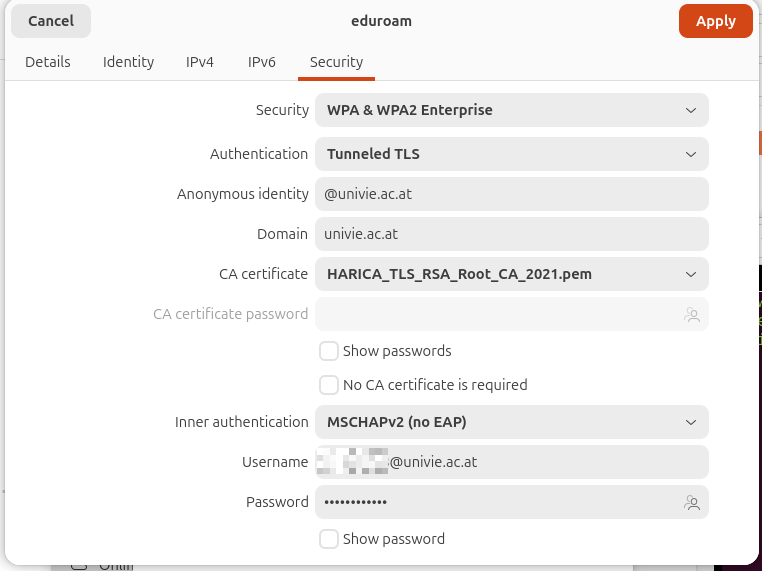
Another year, another Ubuntu version or certificate to be used with Eduroam Wifi. Keeping an Eduroam configuration secure, safe and private is a bit of a challenge on Ubuntu, because so far, the certificate check could not be configured on the GUI and had to be done manually in the configuration file. But Ubuntu 26.04 finally configures the certificate check on its own… if a certificate is configured rather than the option being disabled completely by ticking the ‘No CA certificate is required’ box. This works as well, but then everybody can impersonate ‘eduroam’ and steal your credentials.
The screenshot above shows how the GUI looks like in Ubuntu 26.04 for configuring Eduroam with an account of the University of Vienna. The only pitfall: You need to know which certificate is used and that it can be selected from /etc/ssl/certs. In the case of the University of Vienna, the HARICA_TLS_RSA_Root_CA_2021.pem is currently used.
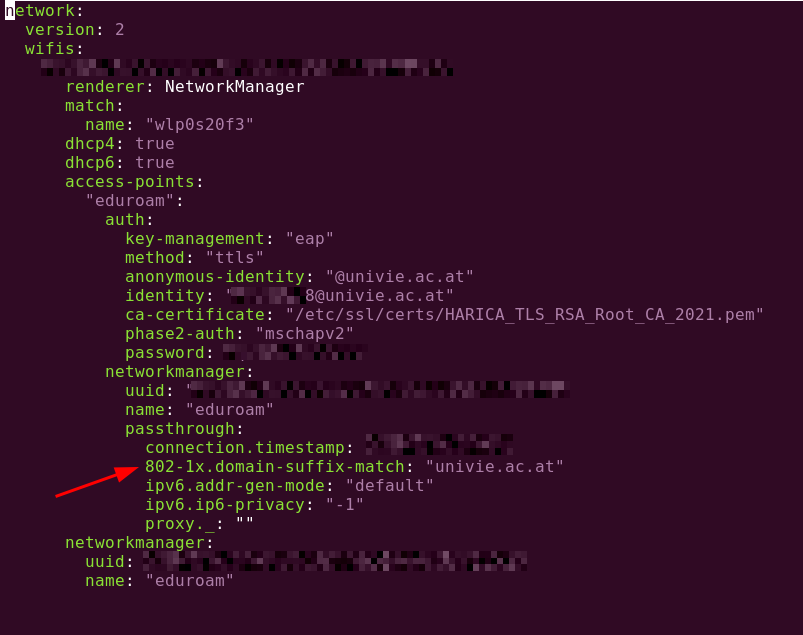
One interesting surprise: While previous Ubuntu versions stored the configuration files in /etc/Networkmanager, they are now in /etc/netpland in yaml format. The filenames are no longer the network name so you have to run a sudo grep -r YOUR-NETWORK-NAME * to find the configuration file. And here is what it looks like for the configuration shown above: