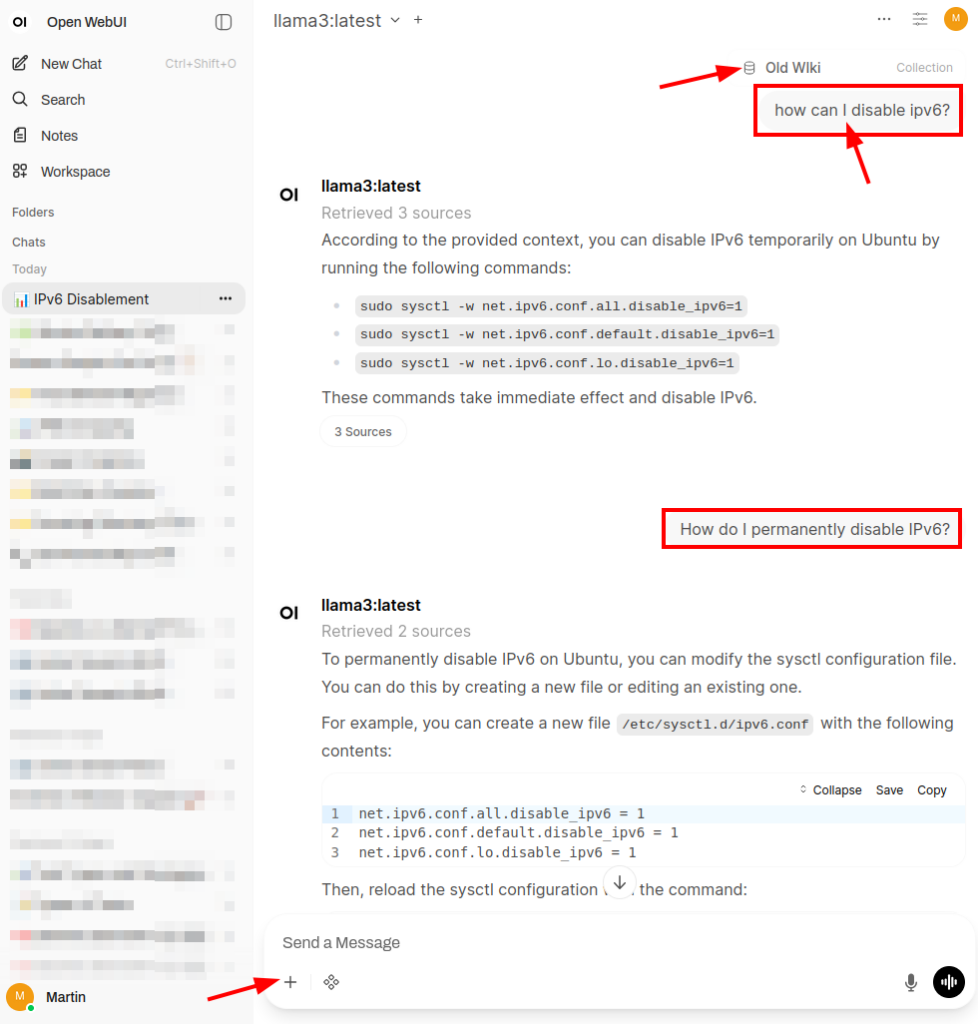
In part 7, I’ve had a look at how external search engines can be integrated into Open WebUI and combined with local LLMs to get external references when asking questions instead of having to rely just on the output of the LLM. This is referred to as Retrieval Augmented Generation (RAG). The same approach can also be used to combine local LLMs with local documents for search.
A heap of local information I use every now and then are the exported pages of my old personal Wiki in html format. A few years ago, I had to migrate from my old Wiki platform to something new, as it was not longer supported. At the time, there was no simple export/import functionality available for my new Wiki platform, so I imported the most important pages to my new Wiki by hand. While this was a good way to leave old information behind that has lost most of its value, I keep going back to that heap of html pages every now and then for stuff that is still relevant but hasn’t made it to the new Wiki. So perhaps a local LLM together with local document RAG would be a better search option?
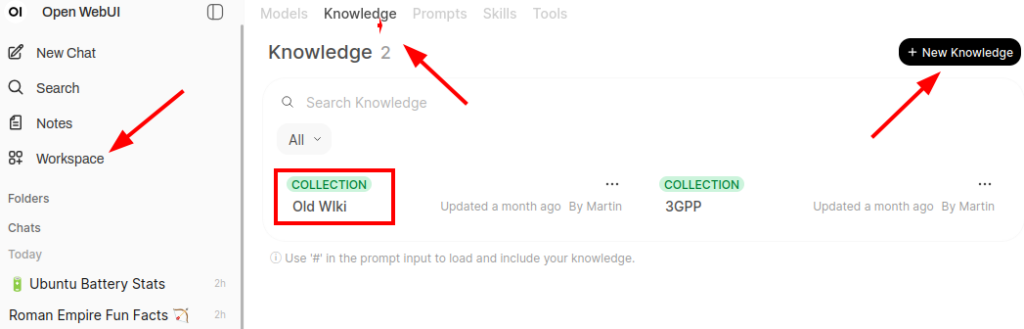
As shown in the screenshot above, Open WebUI can import local documents for RAG search via the ‘Workspace‘ icon on the left side and then by clicking on ‘Knowledge‘ in the top ribbon. After creating a new knowledge base, new local documents can be uploaded in batches. In my case, I had around 1500 html documents I uploaded in one go. Importing them took a while, perhaps 15 to 30 minutes during which the CPU rather than the GPU was quite busy.
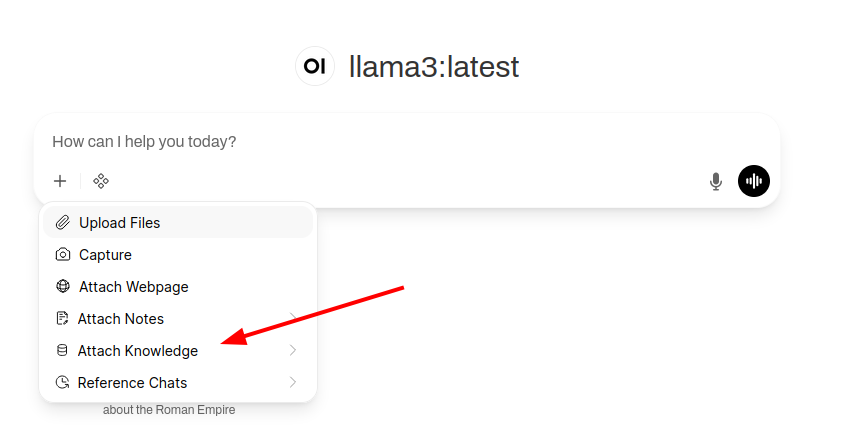
Once the documents are imported one can search in them with an LLM prompt by clicking on the plus sign and selecting the new knowledge base with ‘Attach Knowledge’. The screenshot at the beginning of the post shows how a search looks like in practice with the following example: Every now and then, I need to disable IPv6 on a network interface. One can do that in the desktop settings, but I often prefer commands in the shell. And so a long time ago, I noted down those commands in my Wiki for quick access. OpenWeb UI and the local llama3 LLM provide a good result and one can ask follow up questions which are also answered correctly. References to the original html pages are provided as well, so one can get to the original page quickly. Overall a nice system that often beats my previous search for keywords in filenames approach.
From a privacy point of view I very much like this setup as well. Open Web UI is local, the LLM is local and all the imported documents remain local, so nothing leaks out to external providers. Very nice!