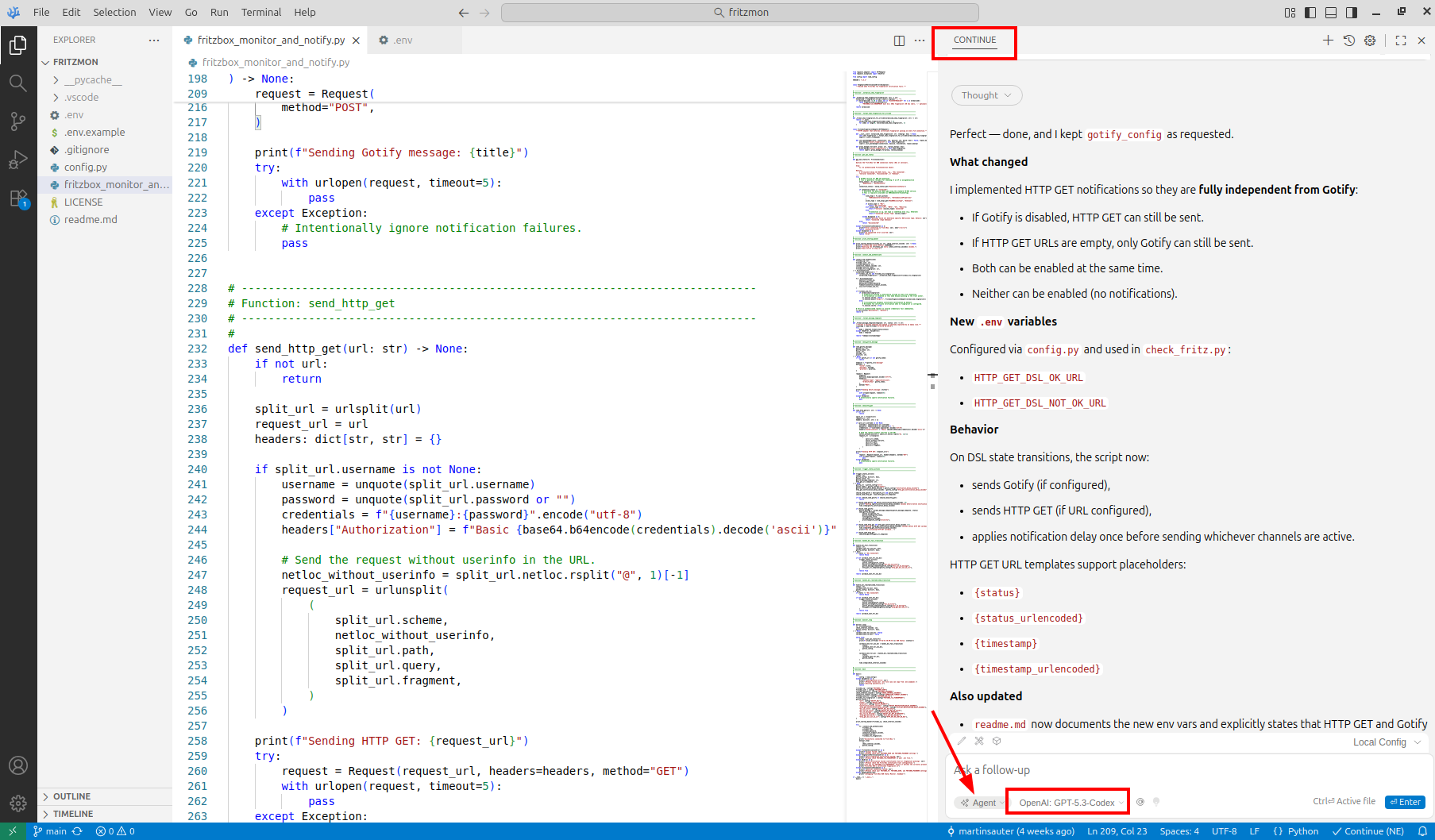
All right, I’ve touched quite a few topics in my AI learning journey so far and today it is time to have a look at a central piece of the whole exercise: AI assisted programming.
Over the past years, I’ve been using AI systems in my private programming projects a few times but it has always been separate from the programming environment and I had to copy and paste code at some point. And while this has sped up quite a number of things, it always felt quite limited. In the meantime, it seems that a number of plugins for programming environments have become available to enable LLMs to directly interact with the code. Also, I’ve heard that high end LLMs can get an overview of the complete code base of a project and suggest + implement solutions across many source files at once. That sounds all quite nice but I was not willing to give up the privacy of my tool chain and I also didn’t want any tool to create a personal profile of my activities. So I looked around a bit and came across a very nice tool chain that fit my privacy needs while giving me access to the latest LLM models for programming.
My Local Programming Toolchain: VSCodium, Open VSX Registry and Continue
Over the past few years, I’ve been using VSCodium for my projects. In case you haven’t come across it yet, VSCodium is the open source version of VSCode that removes the telemetry code from the original. VSCodium is pretty much compatible to VSCode and the LLM plugins available for the later would probably work in VSCodium as well, if I was willing to use the official add-on store. But that was never really in the cards for privacy and openness reasons. Fortunately, I am not alone here, so VSCodium comes with the Open VSX registry that is home to open source programming environment extensions. After looking around a bit on the Internet, I came across Continue, an open source AI extension for VSCode/VSCodium with only little telemetry built in that can be entirely disabled. There are several things that can be done with Continue, but the main feature I was interested in was interaction with a local or external LLM via a prompt, and direct access of the LLM to the code for reading and also for making modifications.
Using a Frontier Model for Programming
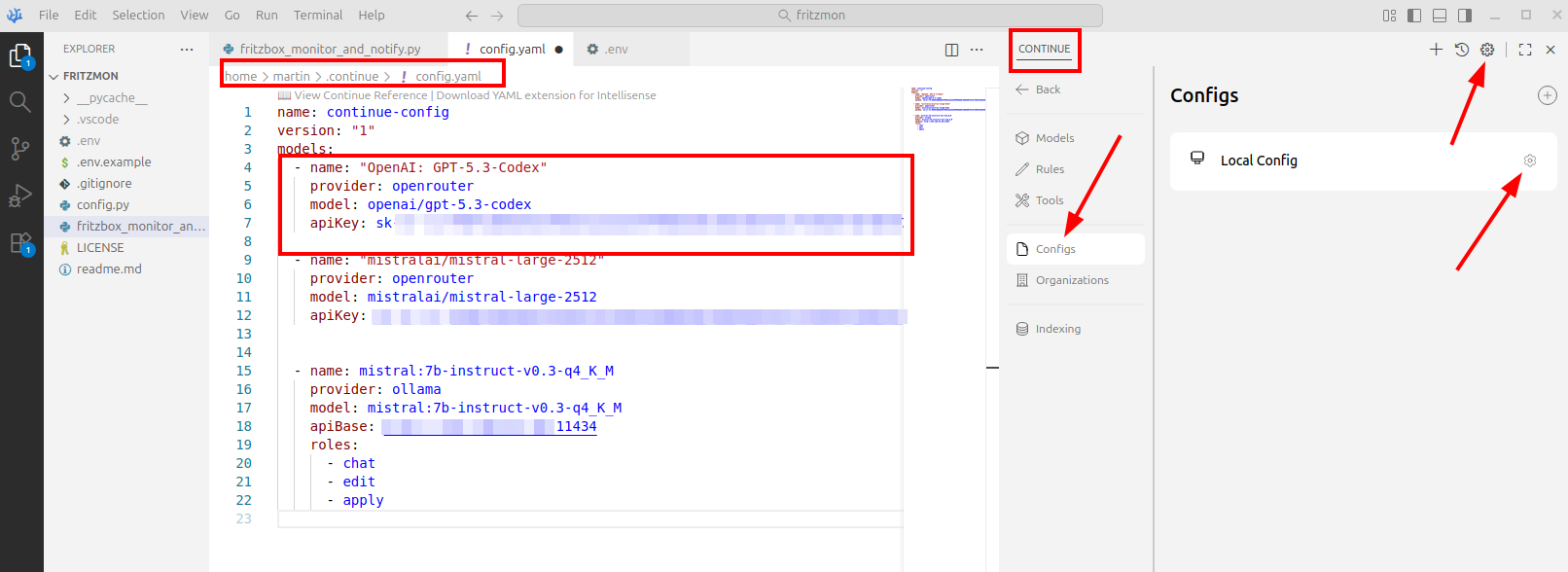
While I was of course interested in trying out Continue with a local LLM for full privacy, I have to admit that I first wanted to see what can be done with the latest and greatest LLMs for coding. At the time of writing, GPT-5.3-codex was said to be one of the best tools for this, and I used OpenRouter (see my previous post on this particular topic) as a go between. This allows me to pay per token and use hundreds of different LLM models. Also, this setup provides a high degree of anonymity. The screenshot above shows how I configured Continue to use GPT-5.3-codex and a local LLM as an alternative, so I could switch between the two. Right-click on the image and open it in a new tab to get the full resolution version.
The Test Project: A Fritzbox Monitor and Notification App
A utility I wanted to put together for a long time is an availability monitor that checks if and how my Internet connection is up and running and which sends me a notification if the status changes. I’m using a Fritzbox VDSL router at home, which has an XML based API in a addition to a web based interface. The API can be used for, among many other things, to find out if the Fritzbox connects to the Internet via the main VDSL link, or if it has switched to the backup cellular connection. I use both backhaul links at home, because my VDSL line keeps failing for a few minutes every couple of days and a fast switchover to an alternative is important.
First Steps: Explore the API
As I didn’t know much about the API, I started my project in VSCodium, Continue and GPT-5.3-codex by writing a prompt along the lines that I would like a code snipet to check the Internet connectivity status of a Fritzbox, use Python as programming language and a Python Fritzbox library that offers the required primitives. Within a few seconds, the LLM came up with a few lines of python code and some suggestions of what I have to do on the Fritzbox side to generate a username and password to enable API access. Before running the code, I had a look at the suggested Fritzbox python library in the public repository, checked where the source code was hosted, how popular the library is and how active the project is in general. It all checked out for me. Then, I had a look at what the code would do on the machine I wanted to run it to make sure it only does what it was supposed to do. Once satisfied, I ran the code, which pretty much worked out of the box.
Let’s Build the Scaffolding
Once I had a feeling of how that library worked, I continued prompting to get a scaffolding around it, such as an endless loop that I could gracefully exit, putting variables in a configuration file and getting code in place to send a notification to my smartphone via my Gotify server when a status change occurs. At the end, the script grew to around 600 lines and each time the LLM suggested changes and additions I would review the code and either accept, deny or formulate changes on the prompt. In other words, this is not vibe coding where one just blindly gives instructions, but much more like a discussion with the LLM what I wanted to have and how I wanted things to look like.
At some point the main loop grew a bit too large for my taste, there were too many things inside that could be put into separate function calls to make things more readable and maintainable. That was another instruction I prompted to the LLM, which immediately reduced the main loop size significantly without me writing a single line of code.
Encryption and Fingerprints
By default, a lot of projects that use the Fritzbox API do not seem to use encryption, but the Python library does have primitives for this available. So I continued my prompting to add a TLS layer and to get some code to automatically restart the connection in case network connectivity was cut while the program is running. Also, I asked the LLM to add code to check the TLS fingerprint that the Fritzbox gave me on the web based user interface to prevent man in the middle attacks. Again, I did not write a single line of Python code myself, I just made sure that the suggested changes made sense to me. What I did, however, was to use Wireshark to have a look what was really sent over the network, how the self signed certificate was handled, and that my utility would gracefully warn me and exit if the TLS fingerprint during connection establishment was incorrect. In case you are interested in the result, have a look here.
Money Spent, Time Saved, Quality Improved
Overall, I spent around 3 hours on the project. If I had done it by looking up all things on my own, I would have spent several days on the project and I am not sure I would have gone the extra mile to add encryption and as detailed a documentation of the project as the LLM offered to do. Overall, I spent around 4 euros for tokens. Sure, it is a small project so this amount gives no indication of how much one would have to spend on big projects where input and output for each LLM interaction is much larger. Nevertheless, the amount of time it saved me during this project can be counted in days, so the cost is very little to the time and quality gained.
Next Steps
So much for today from a technical point of view. In the next post I’ll have a look at the larger picture of using LLMs for coding and in software development, which is much more than just coding, in general.