In a previous post I've described my results of tracing an A-GPS SUPL request from my mobile device to the Google GPS location service and the issues I've discovered. In this follow-up post I thought I'd give an overview of how to setup up an environment that allows to trace and decode the conversation.
Does Your Device Send SUPL Requests Over Wi-Fi?
 The first thing to find out before proceeding is whether a device sends SUPL requests over Wi-Fi at all. It seems that some devices don't and only use a celluar connection as SUPL requests are sent directly from the cellular baseband chip.
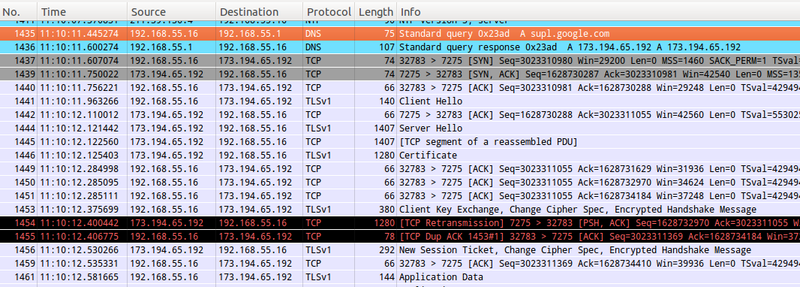
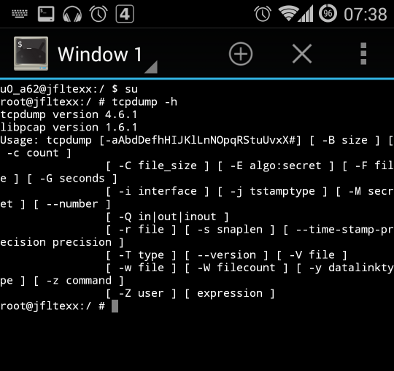
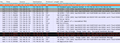
To trace SUPL on Wi-Fi there must be a point between the mobile device and the backhaul router to the Internet on which Wireshark or Tcpdump can be run to record the traffic. I've used my Raspberry Pi based VPN Wi-Fi Travel Router for the purpose. If you have an Android based device that is rooted it's also possible to run tcpdump directly on the device. The first screenshot on the left shows a DNS query for supl.google.com followed by an encrypted SUPL request to TCP port 7275 that you should see before proceeding. Note that a SUPL request is only done if the device thinks that the GPS receiver requires the information. A reliable way to trigger a SUPL request on my device was to reboot if I didn't see a SUPL request after starting an application that requests GPS information such as Osmand.
The Challenge
As the name suggests, the Secure User Plane Location (SUPL) protocol does not send plain text messages. Instead, a Secure Socket Layer (SSL) connection is used to encrypt the information exchange. The challenge therefore is to figure out a way to decrypt the messages. If you are not the NSA, the only chance to do this is to put a proxy between the SUPL client on the mobile device and the SUPL server on the Internet. This splits the single direct SSL Connection between client and server into two SSL connections which then allows to decrypt and re-encrypt all messages on the proxy. At first, I hoped I could do this with MitmProxy but this tool focuses on web protocols such as https and would not not proxy SUPL connections.
Compiling and Running SUPL-PROXY
After some research I came across SUPL-PROXY by Tatu Mannisto, a piece of open source software that does exactly what I wanted. Written in C it has to be compiled on the target system and it does so without too much trouble on a Raspberry Pi. The only thing I had to do in addition to what is described in the readme file is to set a path variable after compiling so the executable can find a self compiled library that is copied to a library directory. In essence the commands to compile supl-proxy, a couple of other binaries and to set the command variables are as follows:
#untar/zip and compile
mkdir supl
cd supl
tar xvzf ../supl_1.0.6.tar.gz
cd trunk
./configure –precompiled-asn1
make
sudo make install
#now set LD_LIBRARY_PATH. It does not seem to be used onthe PI as it is empty
echo $LD_LIBRARY_PATH
LD_LIBRARY_PATH=$LD_LIBRARY_PATH:/usr/local/lib
echo $LD_LIBRARY_PATH
export LD_LIBRARY_PATH
First Test with SUPL-CLIENT
Before proceeding, it's a good idea to check if the supl package is working. This can be done by using SUPL-CLIENT which will send a SUPL request to a SUPL server. The command below uses a network and cell id in Finland:
supl-client –cell=gsm:244,5:0x59e2,0x31b0 –format human
If the request was successful the output will look as follows:
Reference Location:
Lat: 61.469997
Lon: 23.807695
Uncertainty: 59 (2758.0 m)
Reference Time:
GPS Week: 782
GPS TOW: 5879974 470397.920000
~ UTC: Fri Aug 22 10:39:58 2014
Ephemeris: 30 satellites
# prn delta_n M0 A_sqrt OMEGA_0 i0 w OMEGA_dot i_dot Cuc Cus Crc Crs Cic Cis toe IODC toc AF0 AF1 AF2 bits ura health tgd OADA
[…]
Creating A SUPL-PROXY SSL Certificate
One more thing that needs to be done before SUPL-PROXY will run is to create an SSL certificate that it will send to a supl client during the connection establishment procedure. This is necessary as the proxy terminates the SSL connection to the client and creates a second SSL connection to the 'real' SUPL server on the Internet. This is done with a single command which creates a 'false' certificate for supl.google.com:
supl-cert supl.google.com
A Copy SSL Of The Server Certificate For The Client Device
The command above will create four files and one of them, srv-cert.pem, has to be compied to the mobile device and imported into the certificate store. For details, have a look at the description of how this is done for mitmproxy, a piece of software not used here, but which also requires this step.
What I noticed when I used SUPL-PROXY with my Android device was that the supl client did not check the validity of the server certificate and thus this step was not necessary. This is a serious security issue so if you want to know if your device properly checks the validity of the certificate don't copy the certificate to the mobile device and see if the SUPL request is aborted during the SSL connection establishment. Another approach is to first install it to be able to trace the SUPL request and later on remove the certificate again from the mobile device to see if SUPL requests are then properly aborted during the connection establishment phase.
Starting SUPL-PROXY
Once done, SUPL-PROXY can be started with the follwoing command:
supl-proxy supl.nokia.com
This will start the proxy which will then wait for an incoming SUPL request and forward it to supl.nokia.com. Note that the incoming request from the client is for supl.google.com and the outgoing request will be to supl.nokia.com. This is not strictly necessary but makes the redirection of supl.google.com in the next step easier and also shows that Google's and Nokia's SUPL servers use the same protocol.
Redirecting SUPL Requests To The Proxxy
At this point all SUPL requests will still go directly to Google's server and not the local supl proxy so we need to redirect the request. If you have a rooted Android device you can modify the /etc/hosts file on the device and point supl.google.com to the IP address of the device on which SUPL-PROXY waits for an incoming request (e.g. 192.168.55.17 in the example below). Another option is to make the DNS server return the IP address of the device that runs SUPL-PROXY. In my setup with the Raspberry Pi VPN Wi-Fi Router this can be done by editing /etc/hosts on the Raspberry Pi router and then restarting the DNS server. Here are the commands:
sudo nano /etc/hosts
–> insert the follwoing line: 192.168.55.17 supl.google.com
sudo service dnsmasq restart
Tracing And Decoding A SUPL Request with SUPL-PROXY
At this point everything is in place for the SUPL request to go to SUPL-PROXY on the lcoal device. After rebooting the mobile device and starting an app that requests GPS information, the request is now sent to SUPL-PROXY which in turn will open a connection to the real SUPL server and display the decoded request and response. Here's how the output looks like:
pi@mitm-pi ~ $ supl-proxy supl.nokia.com
Connection from 192.168.55.16:48642
SSL connection using RC4-MD5
Client does not have certificate.
mobile => server
<ULP-PDU>
<length>43</length>
<version>
<maj>1</maj>
<min>0</min>
<servind>0</servind>
</version>
<sessionID>
<setSessionID>
<sessionId>5</sessionId>
<setId>
<imsi>00 00 00 00 00 00 00 00</imsi>
</setId>
</setSessionID>
</sessionID>
<message>
<msSUPLSTART>
<sETCapabilities>
<posTechnology>
<agpsSETassisted><true/></agpsSETassisted>
<agpsSETBased><true/></agpsSETBased>
<autonomousGPS><true/></autonomousGPS>
<aFLT><false/></aFLT>
[…]
The output is rather lengthy so I've only copy/pasted a part of it into this post to give you a basic idea of the level of detail that is shown.
Tracing And Decoding A SUPL Request with Wireshark
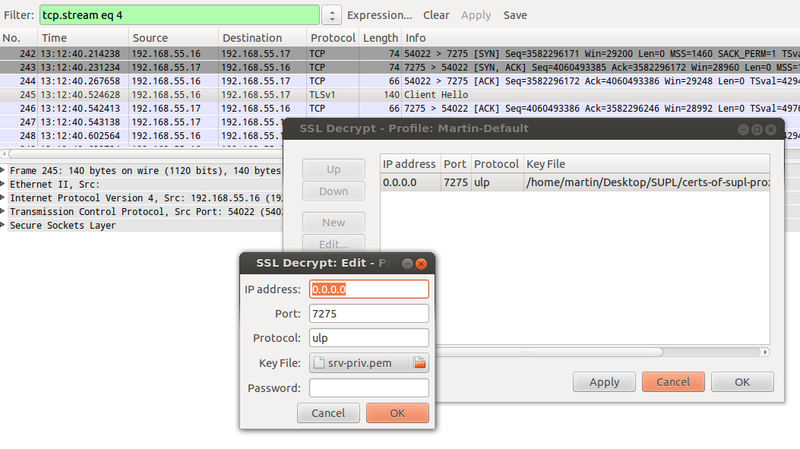
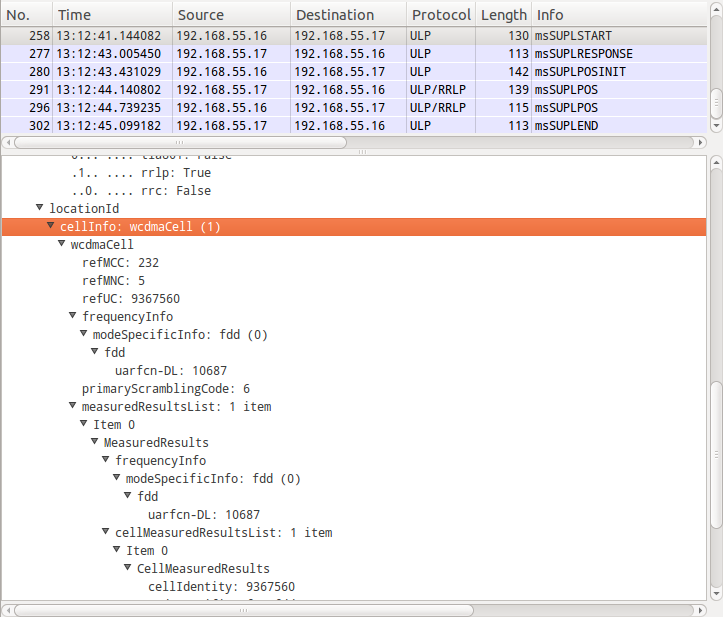
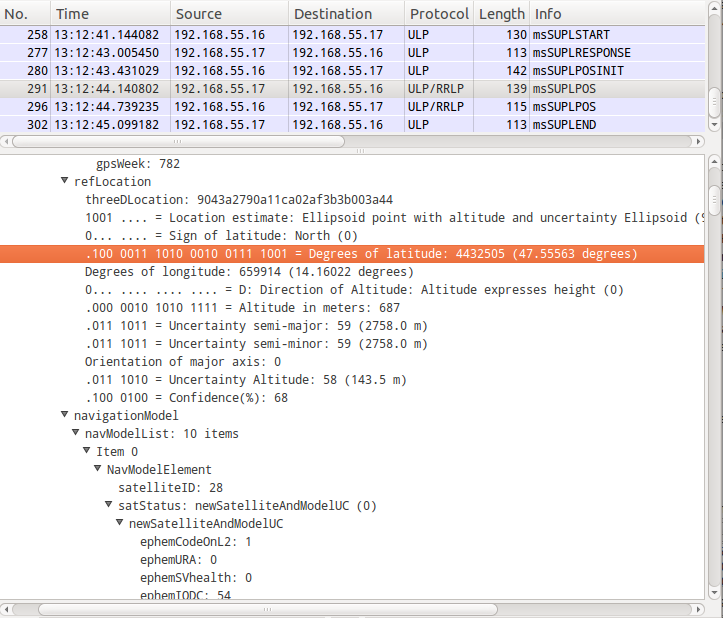
The SUPL-PROXY output contains all request and response details in great detail so one could stop right here and now. However, if you prefer to analyze the SUPL request / response details in Wireshark, here's how that can be done: While a SUPL request that goes to the 'real' SUPL server directly can't be decoded due to the use of SSL and the unavailability of the server's SSL key, it's possible to decode the SUPL request between the SUPL client and SUPL-PROXY as the server's SSL key is available. The SSL key was created during the certificate creation process described above. 'srv-priv.pem' contains the private key and can be imported in Wireshark as follows:
- In Wireshark select "follow TCP stream" of a supl conversation. The TCP destination port is 7275
- In the stream select "decode as –> SSL". The cipher suite exchange then becomes visible
- Right-click on a certificate exchange packet and select "Protocl Preferneces –> RSA Key List"
- Enter a new RSA key as shown in the first screenshot below. Important: The protocol is called "ulp", all in LOWERCASE (uppercase won't work!!!)
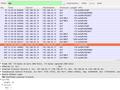
The second screenshot below shows how the output looks like once the SSL layer can be decrypted.
Have fun tracing!